

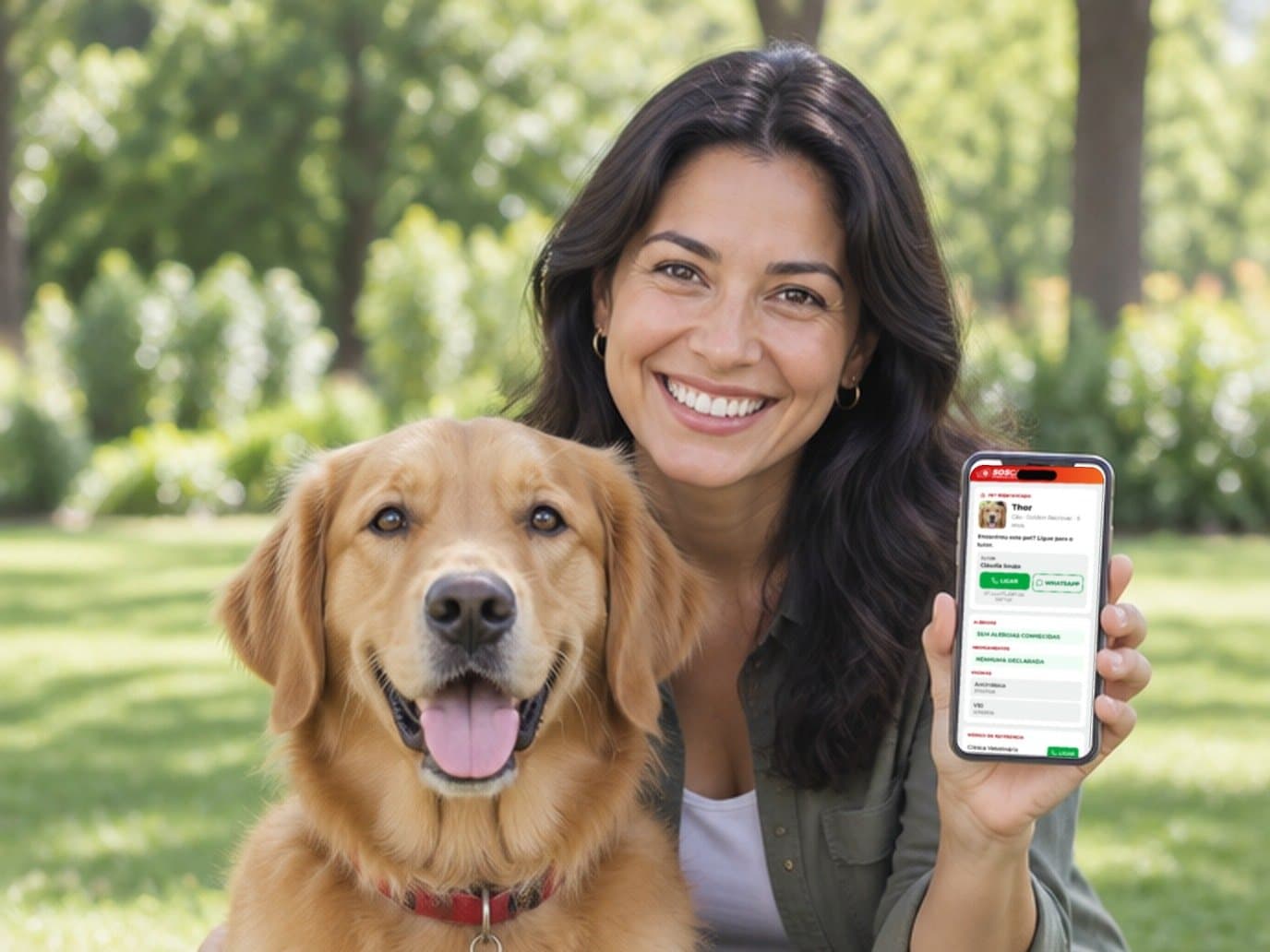
Why put a QR Code on the collar
A traditional engraved tag has room for a name and a phone number, and that’s it. If you change your number, it’s wrong. If your pet takes a prescription medication or has an allergy, whoever finds them won’t know. A QR Code tag solves this: only a code goes on the collar, and you update the record it opens from your phone whenever you want.
What shows up when someone scans it
The owner’s contact, with a call button
The record opens with your pet’s photo, name, species, breed and age, and the request “Found this pet? Call the owner.” Right below are the owner’s name and the call button. The number stays partly hidden until the person taps “show number”: someone just glancing at the screen can’t copy your phone number.
Vaccines, allergies and medications
The record lists vaccines with dates, allergies and ongoing medications. If your pet spends a few hours with someone else, they’ll know it can’t eat a certain food or needs its late-afternoon medication. There’s also a quick-instructions field, like “scared of motorcycles, don’t let go of the leash”, and your vet’s phone number, if you add it.
In three languages
The record opens in English, Spanish or Portuguese, which helps when traveling and in tourist towns.
Lost-pet mode
If your pet goes missing, switch on lost-pet mode in the app. From then on, the record opens with a prominent notice that the pet is lost, your note (where it was last seen, whether it scares easily), the call button and a button for the finder to send their location.
- Every scan becomes an urgent alert for you and for anyone you authorized to care for the profile.
- The location sent by the finder arrives instantly, with a map link.
- The app creates a poster to print or share on WhatsApp — no QR and no health data — to spread in neighborhood groups.
- When your pet is back home, switch the mode off: the note is deleted and everyone following the profile is told it was found.
Collar tips
- A collar with a tag, not just a harness. Many pets leave home without their walking harness. The ID needs to be on the collar they wear all day.
- The two-finger fit. You should be able to fit two fingers between the collar and the neck: too loose and it slips over the head; too tight and it hurts.
- A sturdy ring. Choose a closed metal split ring over a plastic one, and check now and then that it isn’t opening.
- Keep the QR visible and clean. Mud and scratches make it harder to scan. If the tag gets very worn, replace it and deactivate the old one in the app.
- Cats: use a breakaway collar that opens if it gets caught on something.
- Test it after attaching. Scan it with your phone and check that the record opens with the right phone number.
The whole family in one app
Your pet lives in the same account you use for your own record and your kids’ or parents’. The Family plan covers up to five profiles — people or pets — each with its own QR. For the humans in the house, see the allergy card and the ID for seniors. To see a real record before you buy, open the sample record.